Blocking Ads on the Android Version of Bahamut
This article is automatically translated by LLM, so the translation may be inaccurate or incomplete. If you find any mistake, please let me know.
You can find the original article here .
This tutorial is a simple guide on how to block ads in the Bahamut App. The tested version when writing this article is 5.6.3, but it is still effective up to the latest version.
Adguard
AdGuard is a Russian-developed ad blocker available for Windows, MacOS, Android, and other versions, as well as browser extensions. The version needed to block ads in the Bahamut app is the Android version. Download link: https://adguard.com/en/adguard-android/overview.html
However, blocking in-app traffic requires the paid full version. You can consider purchasing the official version (not expensive) or look for a special version online.
Installing HTTPS Certificate
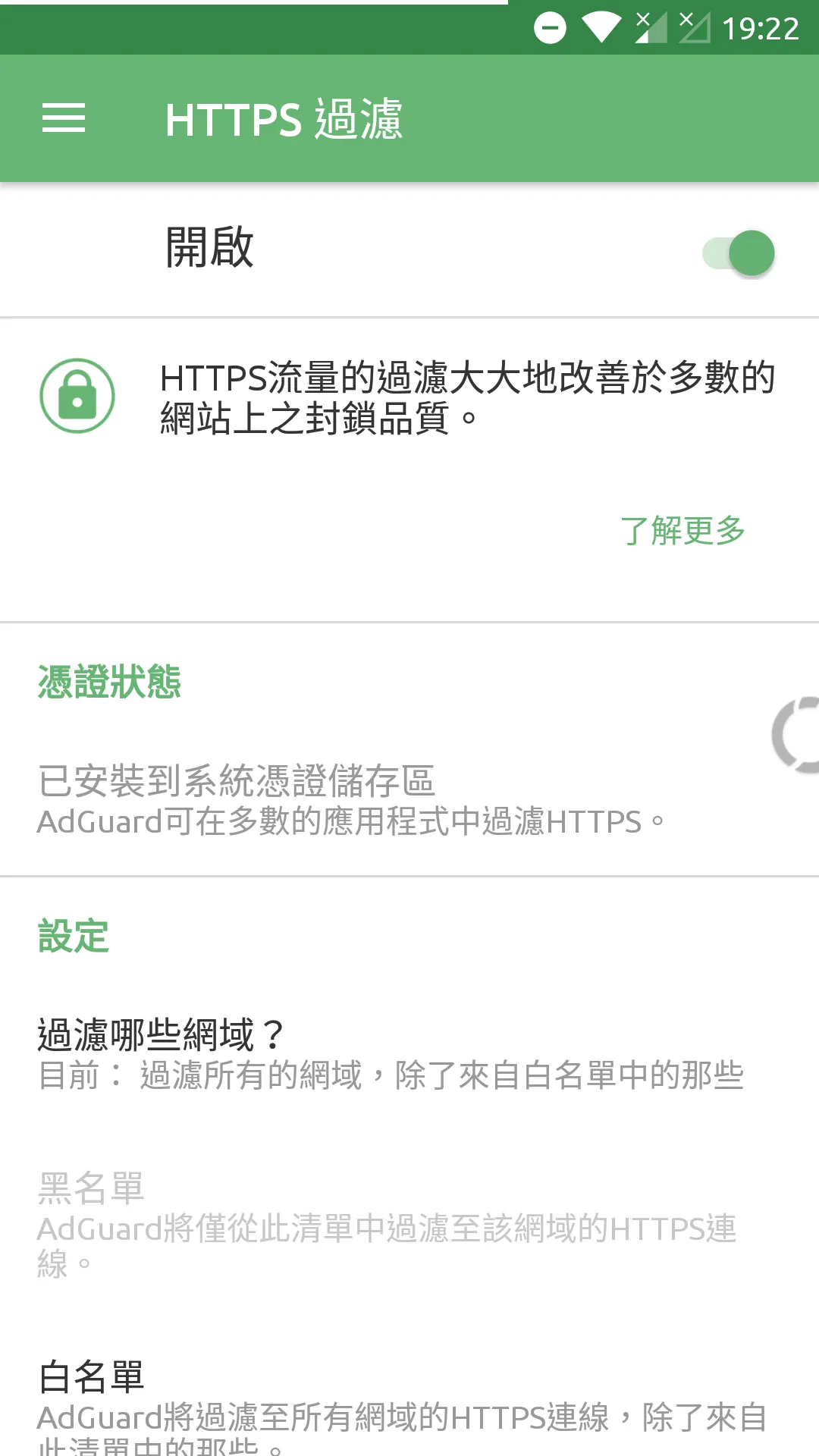
Open the sidebar in the App and click "Settings" >> "HTTPS Filtering" Then turn on the option.
Adding Filtering Rules
Then go back to "Settings" >> "User Filter" Click the "+" sign to add a new rule, and enter the following content:
||api.gamer.com.tw/mobile_app/ad/*^$empty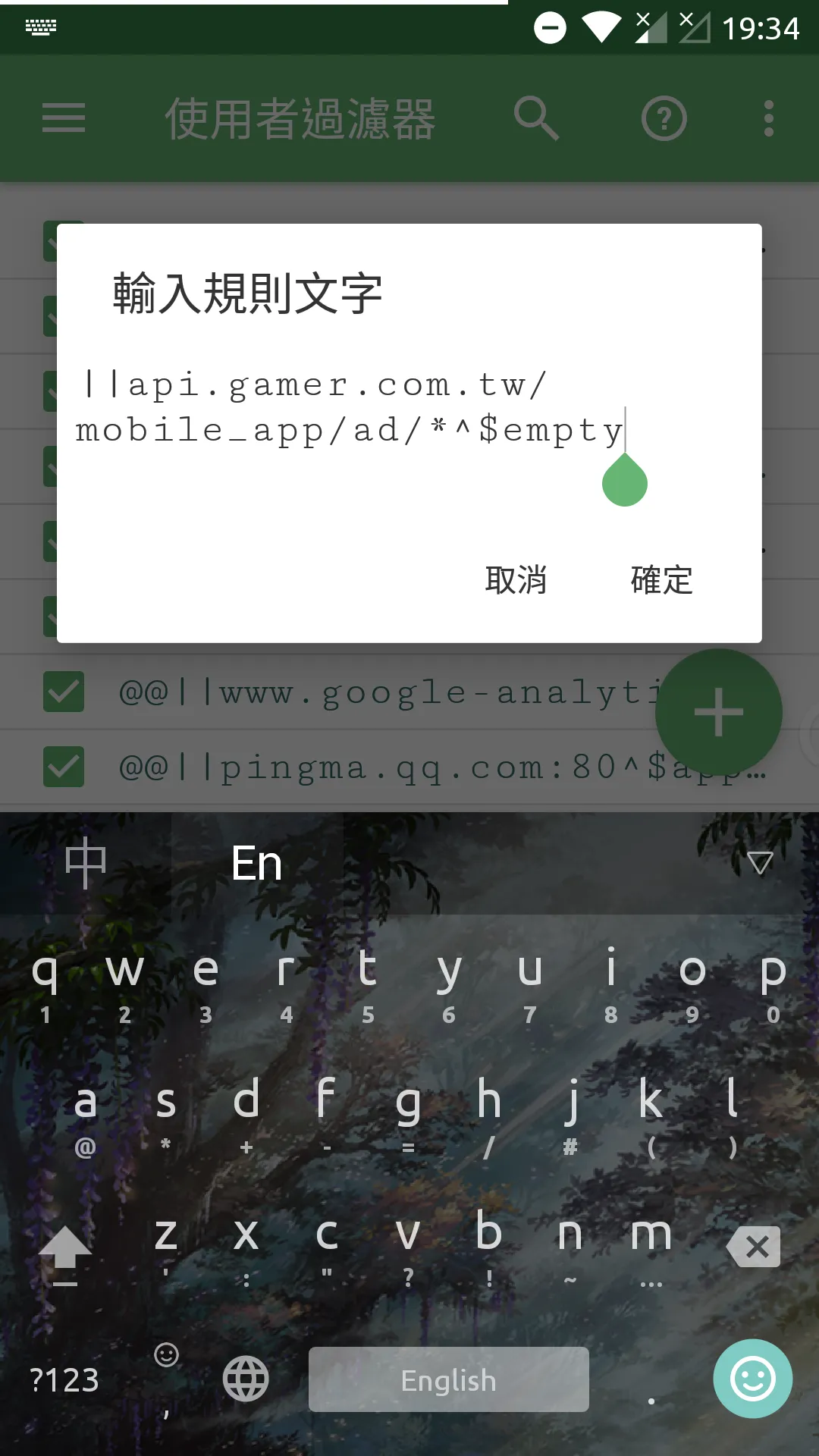
Completion
Return to the AdGuard homepage, enable ad blocking, and then open the Bahamut App to test. According to my experience with Bahamut version 5.6.3, it successfully blocks all ads. It is uncertain if this will change in the future.